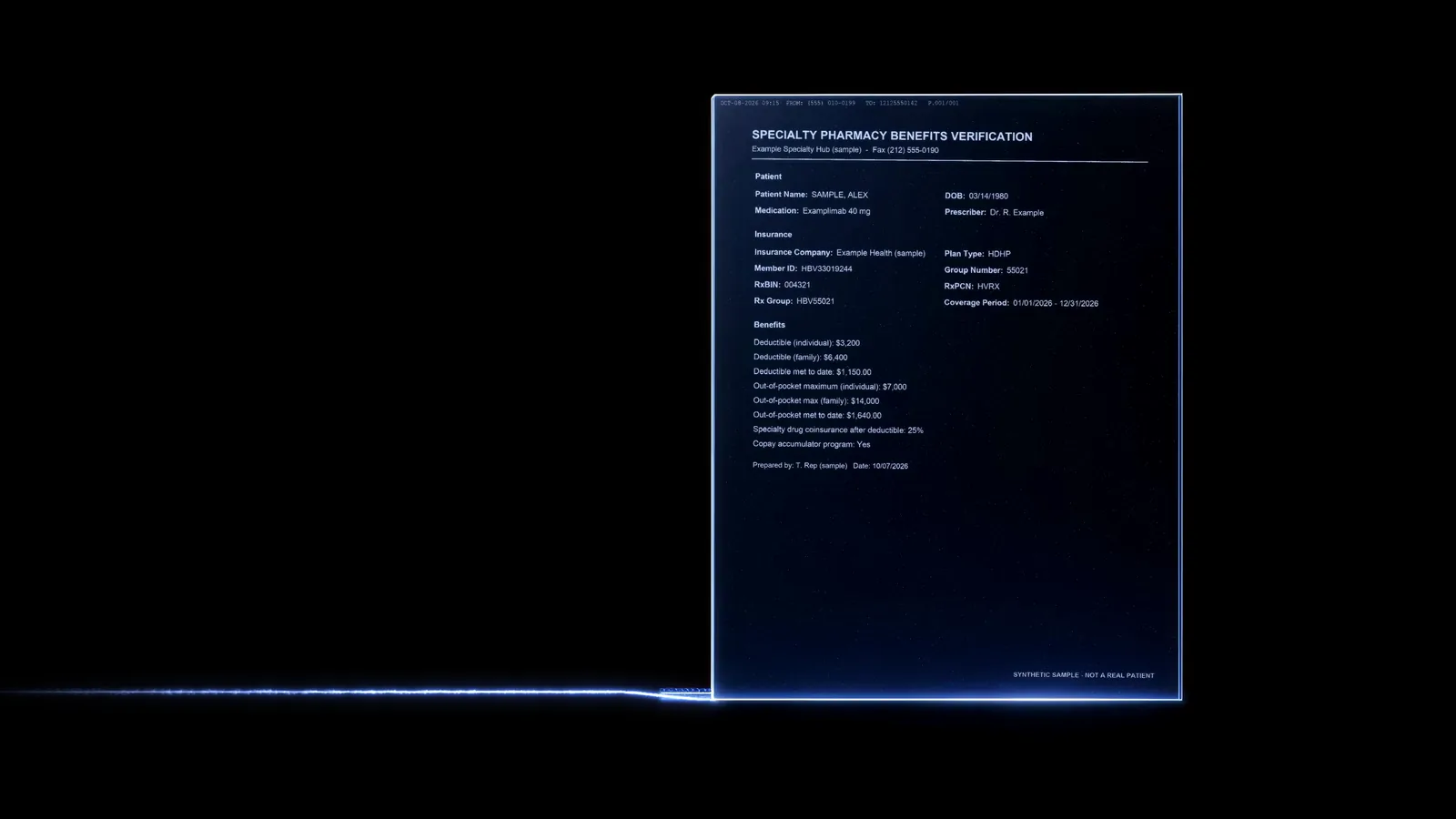
Skip the film
  1. Sensitive faxes, routed to the readers built for them.

    BATech View is OCR for sensitive data, designed as a platform for pharma copay and patient-support programs. Each faxed benefits page is looked at before it is read, goes to the readers built for it, and is checked by rules that can only flag.

    Available for pilots. View runs today as a local build on synthetic data.

  2. Sealed on arrival. Read in place.

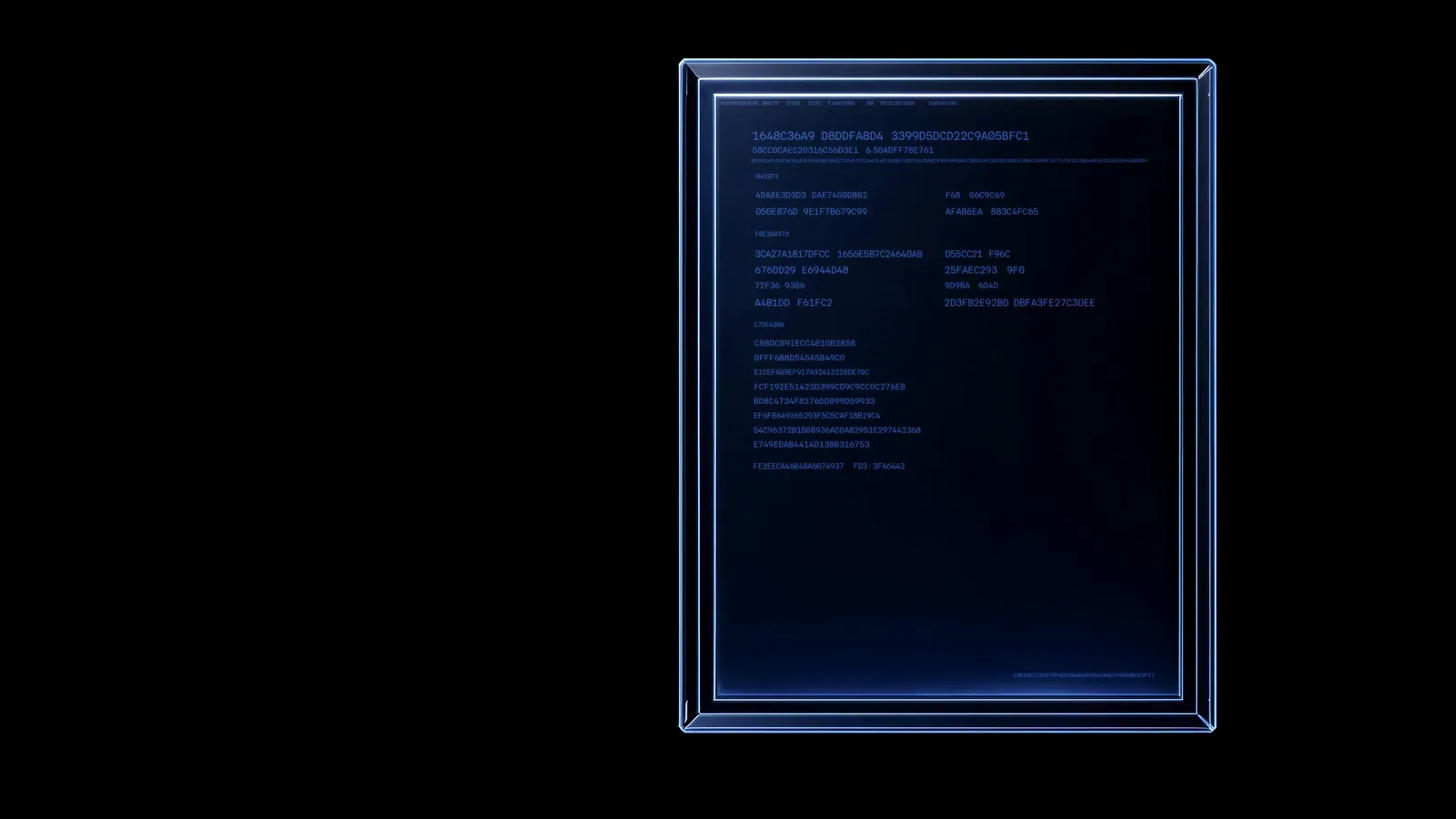
    Each fax is encrypted under its own key on arrival, before it is read. By default, every reader runs where View runs: no page is sent out to be read.

  3. Every reading points back to its page.

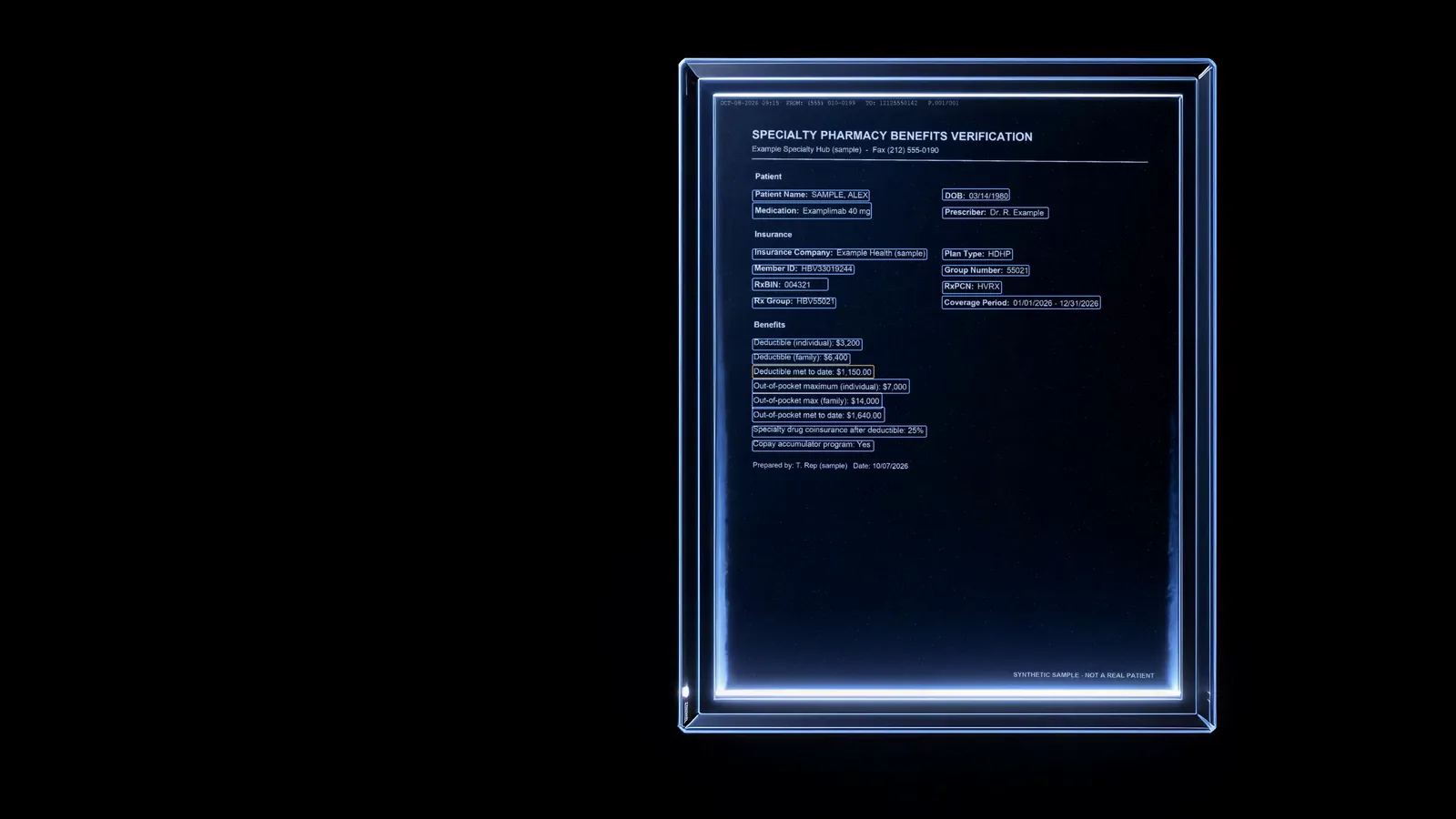
    Each value arrives with its page and the words it was read from, boxed where it can be placed. A doubtful value carries a warning in plain words.

  4. Nothing files on one reader's word.

    Today a named reviewer files every value, with the page beside it. View is designed so that, once measured, what passes every check files itself, and exceptions go to a person.

  5. One record per patient. Nothing overwritten.

    Filed values join the patient's record. A new value supersedes the old, the old is kept with its page, and an older document never silently replaces a newer one.

  6. Ready for the systems that need it.

    Your system reads each record over an API: every value with its source and who filed it, checked against View's versioned schema before it leaves. Every read is logged.

What changes for your program.

Your claim gates screen the claim. View checks the paper. It reads the benefits documents your program already holds and shows the page behind every value and every flag. We do not publish a time saving or a catch rate we have not measured. A pilot measures these four on your own faxes.

  1. Minutes per fax

    Checking View's proposed values against the page, timed against typing the same faxes in by hand.

    Measured in the pilot
  2. Values confirmed, not typed

    The share of each fax's values a reviewer confirms or corrects instead of keying from scratch.

    Measured in the pilot
  3. Wrong values caught before filing

    Every misread a reviewer corrected, counted against answers checked by hand. Accumulator and maximizer programs are read like any other value.

    Measured in the pilot
  4. Coverage signs found on paper

    The faxes where View found signs of government coverage on the page, counted against what your own records showed for the same patients.

    Measured in the pilot

One page, many specialist readers.

Routed reading. Every page is looked at before it is read. View is designed so that each part then goes to the reader built for it, and so that no route can skip the checks, which can only flag.

  • Looked at first. Before a page is read, View checks whether it carries real digital text, and cleans up a faxed page. A page that arrived sideways or upside down is turned and read again. Its document type is then recognised.
  • Readers in View today. Digital text is read exactly, a picture of a page goes to OCR prepared for fax, and tick boxes have a reader of their own.
  • Designed to grow by adding readers. A second, independent reader is built and being measured before it becomes the default. Short exact fields such as IDs and dates are designed to get a reader of their own. Coming: a reader for tables.
Illustration of the design: each part of a page goes to its own reader.
  1. Arrives sealed

    Each original fax is encrypted under its own key on arrival, before it is read. Each client sets its own lines, allowed senders and quarantine.

    • Your fax lines
    • Fax and eFax lines you set up
    • Allowed senders
    • Quarantine
  2. Pre-screened

    Before a page is read, View checks whether it carries real digital text, and cleans up a faxed page. A page that arrived sideways or upside down is turned and read again.

  3. Specialist readers

    Each page's document type is then recognised, and the page goes to the readers built for that type. Each part of a page is designed to reach its own reader; today digital text, fax pages and tick boxes each have one.

    • Digital text
    • OCR prepared for fax
    • Tick boxes
    • An independent second reader, on the roadmap
    • Short exact fields and tables, on the roadmap
    • An AI route you choose, on the roadmap
  4. Extractors

    What the readers read becomes values in one versioned vocabulary, each with its page. One extractor per document type is on the roadmap.

  5. Flag-only checks

    A check can send a value to a person. It never changes a value and never lets one file.

  6. Filed

    Today a named person files every value, traced to its page. View is designed so that, once measured, what passes every check files itself, and exceptions go to a person.

  7. Record and outputs

    One record per patient, never overwritten, read by your systems by token.

  8. Analysis (on the roadmap)

    Designed to run analysis modules over filed records, never changing them.

Illustration. Solid: in View today. Dashed: on the roadmap. Today no figure read by OCR files by itself, and every fax goes to a person. View runs today as a local build on synthetic data.

The same rules under every route.

A reader can be wrong without knowing it. So View is designed so that no route or module can loosen these rules. Each says what holds today and what the design adds.

Illustration of the design: every route passes the same checks.
Illustration of a design on the roadmap: independent readers must agree.

Nothing files on one reader's word.

No figure read by OCR files by itself on one reading, and View never matches a fax to a patient on a near match.

Today
A named reviewer files every value, with the page beside it.
By design
Designed so that independent readers must agree on every figure before anything files by itself.
Illustration: a check flags a value and leaves it unchanged.

Checks can only flag.

A check can send a value to a person. It never changes a value and never lets one file, so adding a check can send more to a person, never less.

Today
Warnings in plain words, identifier checks, values checked against each other, and a right-patient check.
By design
The platform is designed to grow by adding checks, including flag rules a client writes itself.

Coverage and identity go to a person.

View looks for signs of government coverage on every page about the patient, and sends any fax where it finds one to a person. So does a fax whose patient is uncertain, in conflict or ambiguous.

Today
It never reads silence as "no government coverage". A client's settings can make the government-coverage rule for automatic filing stricter, never looser.
By design
Designed so safety steps are locked into every flow.

Eligibility is a person's decision.

View cannot decide eligibility by itself: the database refuses it.

Today
By default, an eligible decision must cite the page that answers the government-coverage question. A program's administrator can choose to allow one without it.
By design
Designed so that no route or module can decide eligibility.

By default, no AI model reads a patient document.

That rule is enforced in the code and tested, and View has never trained a model on patient data.

Today
By default, no page is sent anywhere to be read.
By design
An AI route is designed as a choice a client makes per document type, in its own cloud, and an AI reading is designed never to file on its own.

Every value shows where it came from.

Each patient's record gives every value with its source page, the words it was read from, and who filed it and when.

Today
See what was on file on any date. The database keeps the audit log from being edited or deleted.

View is designed to grow by adding modules.

One platform, many parts. Some of View's reading steps are already built as plug-in modules. Each kind shows what is available now and what is on the roadmap.

Ingestion

Documents arrive from the fax lines a program already runs. Each client sets its own lines, allowed senders and quarantine.

5 available now1 on the roadmap

5 available now1 on the roadmap

Documents arrive from the fax lines a program already runs. Each client sets its own lines, allowed senders and quarantine.

  • Your fax lines

    Faxes arrive from a webhook your online fax service posts to, a folder your fax server writes to, or a portal upload.

    Available now
  • Fax and eFax lines you set up

    Each client sets up its own fax and eFax lines, each as an ingestion module with its own settings.

    Illustration: each fax or eFax line a client sets up plugs in as a module of its own.
    Available now
  • Allowed senders

    Each line keeps its own list of allowed sending numbers, chosen by the client.

    Available now
  • Quarantine

    A fax from a number a line does not allow is held in quarantine, sealed and unread, until an administrator lets it in or turns it away.

    Illustration: the quarantine tray, with nothing held.
    Available now
  • PDF, fax TIFF and images

    Each file is typed from its contents, never its name. A file sent twice is kept once, and one that cannot be opened is refused before anything is stored.

    Available now
  • More ways in

    The platform is designed to take documents in from more places, each as an ingestion module.

    On the roadmap

Pre-screen

Every page is looked at before it is read.

4 available now1 on the roadmap

4 available now1 on the roadmap

Every page is looked at before it is read.

  • Digital text or a picture

    Every page is looked at before it is read. Real digital text is read exactly; a picture of a page goes to OCR prepared for fax.

    Available now
  • Someone else's OCR

    Text that another OCR added to a PDF is treated as a reading to check, not as the document's own words.

    Available now
  • Fax damage and orientation

    Fax artefacts are handled before a page is read. A page that arrived sideways or upside down is turned and read again.

    Available now
  • Document type

    Each page's document type is recognised, and the document goes to the readers built for that type.

    Available now
  • A growing pre-screen

    The pre-screen is designed to grow with the platform. Routing is designed to be measured and versioned, so every route can be audited.

    On the roadmap

Readers

Each part of a page is designed to reach its own reader.

3 available now4 on the roadmap

3 available now4 on the roadmap

Each part of a page is designed to reach its own reader.

  • Digital text

    A born-digital PDF is read from its own text, with no OCR.

    Available now
  • OCR prepared for fax

    OCR prepared for fax, running where View runs.

    Available now
  • Tick boxes

    Tick boxes have a reader of their own, and a mark it cannot call is never taken as an answer.

    Available now
  • An independent second reader

    A second, independent reader is built and being measured before it becomes the default.

    On the roadmap
  • Short exact fields and tables

    Short exact fields such as IDs and dates are designed to get a reader of their own. Coming: a reader for tables.

    On the roadmap
  • Handwriting

    Handwriting is not read yet: a person types what the reader missed.

    On the roadmap
  • An AI route you chooseHeld by a rule: No AI by default

    Designed as a route a client can choose per document type, running in its own cloud. An AI reading is designed never to file on its own.

    On the roadmap

Extractors

What the readers read becomes values in one versioned vocabulary, each with its page.

4 available now1 on the roadmap

4 available now1 on the roadmap

What the readers read becomes values in one versioned vocabulary, each with its page.

  • Plan documents

    Plan summaries and federal employee plan brochures are read by readers built for them, and a brochure's plan options are kept apart.

    Available now
  • Cards, forms and letters

    View reads insurance cards, benefits-verification and enrollment forms, test-claim and eligibility printouts, prior authorisation letters and cover sheets.

    Available now
  • Tick-box answers

    Coverage type, relationship, authorisation status and claim result are read from the boxes. Two marks where one answer is allowed are flagged, never picked.

    Available now
  • One benefits vocabulary

    Every value lands in one fixed, versioned vocabulary: 114 fields in 11 groups, including the patient's identity, as of 9 Oct 2026.

    Available now
  • One extractor per document type

    Each document type is designed to get its own extractor module, so a new type can join without changing the others.

    On the roadmap

Flag-only checks

A check can send a value to a person. It never changes one.

7 available now1 on the roadmap

7 available now1 on the roadmap

A check can send a value to a person. It never changes one.

  • Warnings in plain wordsHeld by a rule: Checks only flag

    A doubtful reading carries a warning under the value it belongs to, saying what to check.

    Available now
  • IdentifiersHeld by a rule: Checks only flag

    Identifiers are checked against their expected shape, and an NPI against its check digit.

    Available now
  • Values against each otherHeld by a rule: Checks only flag

    Values on the same fax are checked against each other.

    Available now
  • Government coverageHeld by a rule: Coverage to a person

    View looks for signs of government coverage on every page about the patient, and sends any fax where it finds one to a person. It never reads silence as "no government coverage".

    Available now
  • Right patientHeld by a rule: Coverage to a person

    If the identity printed on a fax does not match the chosen patient, View says so before anything is filed.

    Available now
  • Newer value kept

    An older document never silently replaces a newer value.

    Available now
  • Flag, never fixHeld by a rule: Checks only flag

    A check can send a value to a person. It never changes a value and never lets one file.

    Available now
  • More checks, including your ownHeld by a rule: Checks only flag

    The platform is designed to grow by adding checks, including flag rules a client writes itself. Because checks never fix, adding one can send more to a person, never less.

    On the roadmap

Filing

No figure read by OCR files by itself on one reading. Today a named person files every value.

6 available now2 on the roadmap

6 available now2 on the roadmap

No figure read by OCR files by itself on one reading. Today a named person files every value.

  • A named person filesHeld by a rule: No single reading

    Today a named reviewer files every value, with the page beside it. Nothing that needs a person starts ticked.

    Available now
  • A reason for every exception

    Every fax that needs a person says why, in one plain sentence.

    Available now
  • No figure on one readingHeld by a rule: No single reading

    No figure read by OCR files by itself on one reading, and View never matches a fax to a patient on a near match.

    Available now
  • Coverage and identity go to a personHeld by a rule: Coverage to a person

    A fax where View finds signs of government coverage, or whose patient is uncertain, in conflict or ambiguous, always goes to a person. By default, so does a fax for a patient not yet on file. Eligibility is always a person's decision.

    Available now
  • Eligibility is a person's decisionHeld by a rule: People decide eligibility

    View cannot decide eligibility by itself: the database refuses it. By default, an eligible decision must cite the page that answers the government-coverage question. A program's administrator can choose to allow one without it.

    Available now
  • Identifiers retyped

    With the default reader, an ID number or code read by OCR must be partly retyped by a person before it files, not just ticked.

    Available now
  • Readers must agreeHeld by a rule: No single reading

    Designed so that independent readers must agree on every figure before anything files by itself.

    On the roadmap
  • Straight-through filing

    Designed to file what passes every check by itself, with daily spot checks, an automatic pause and undo. It is designed to switch on after a measurement on documents it was never tuned on; today every fax goes to a person.

    On the roadmap

Records

One record per patient, never overwritten.

4 available now

4 available now

One record per patient, never overwritten.

  • Coverage recordHeld by a rule: Every value traced

    One record per patient, never overwritten. See what was on file on any date, which page it came from and who filed it.

    Available now
  • Work lists, holds and reminders

    A work list of the faxes that need a person, which today is every fax. It has holds, follow-ups and reminders before a plan year restarts or an authorisation or coverage ends. Once automatic filing files, the list is designed to hold exceptions and spot checks, not every fax.

    Available now
  • Roles

    Role-based access for intake, supervisors, program managers and auditors.

    Available now

Analysis

Analysis is designed to read filed records, never to change them.

2 on the roadmap

2 on the roadmap

Analysis is designed to read filed records, never to change them.

  • Analytics and a program report

    Coming: analytics and a program report. Shareable views are designed to withhold small groups.

    On the roadmap
  • Analysis as modules

    The platform is designed to add analysis as modules a client can turn on, each reading filed records and never changing a value.

    On the roadmap

Outputs

Your systems read each record, with its source, by token.

4 available now1 on the roadmap

4 available now1 on the roadmap

Your systems read each record, with its source, by token.

  • Record as JSONHeld by a rule: Every value traced

    Each patient's record gives every value with its typed form, source page, the words it was read from, and who filed it and when.

    Available now
  • Checked before it leaves

    Every record is checked against View's versioned schema before it leaves. A record that fails is not sent.

    Available now
  • Every patient as CSV

    The CSV is sent whole or not at all, with spreadsheet formulas neutralised.

    Available now
  • Machine access by token

    Your systems read records by token. A portal session alone cannot download a record or the CSV.

    Available now
  • More ways out

    Coming: endpoints for a record's status and its changes. The platform is designed to deliver results through output modules.

    On the roadmap

Security and privacy

Sealed on arrival. By default, no page is sent anywhere to be read.

8 available now1 on the roadmap

8 available now1 on the roadmap

Sealed on arrival. By default, no page is sent anywhere to be read.

  • Sealed on arrival

    Each original fax is encrypted under its own key on arrival, before it is read. Read text and filed values are kept in View's database, not sealed per document.

    Available now
  • Page images in memory

    Page images are drawn in memory and never written to disk.

    Available now
  • No outside calls by default

    By default, no page is sent anywhere to be read.

    Available now
  • No AI model by defaultHeld by a rule: No AI by default

    By default, no AI model reads a patient document. That rule is enforced in the code and tested, and View has never trained a model on patient data.

    Available now
  • Audit logHeld by a rule: Every value traced

    The database itself keeps the audit log from being edited or deleted. It records ids, never patient names or values.

    Available now
  • Clients kept apart

    Each client's records are kept apart by the database itself, as well as by the application.

    Available now
  • Short-lived access

    Pages and records reach the browser through short-lived tokens, and sessions lock when idle.

    Available now
  • Synthetic data

    No real patient data has been used to build or test View.

    Available now
  • Your cloud, your sign-on

    Designed to run in your own cloud account, with sign-in from your single sign-on with MFA.

    On the roadmap

Configuration

Each client has its own settings, and the platform is designed to grow by adding modules.

2 available now1 on the roadmap

2 available now1 on the roadmap

Each client has its own settings, and the platform is designed to grow by adding modules.

  • Client settings

    Each client has its own review targets, reminder windows and idle lock, set when its account is configured. Its settings can make the government-coverage rule for automatic filing stricter, never looser.

    Available now
  • Reading steps as modules

    Some of View's reading steps, such as tick-box answers and the government-coverage check, are already built as plug-in modules.

    Available now
  • Modules declare what they touch

    Each module is designed to declare what it may touch (patient data, the network, AI), and the platform enforces it.

    On the roadmap

Flow builder

Each client arranges its own flow on a board, around safety steps that stay locked.

5 available now1 on the roadmap

5 available now1 on the roadmap

See the flow builder

Each client arranges its own flow on a board, around safety steps that stay locked.

  • Drag-and-drop flow builder

    A client's administrator proposes changes to its flow on a board, dragging modules into place around safety steps no flow can remove. For now, changes to readers and checks run in the sandbox and cannot go live.

    Available now
  • A measured sandbox

    A proposed change runs on practice faxes in a sandbox, and its results show next to the current flow, step by step, before the change can go live.

    Available now
  • Versions, approvals and rollback

    Each change to a flow is versioned with who made it and when. A second administrator approves it before it goes live, and any version can be put back in one step.

    Available now
  • Locked steps

    Safety steps are locked into every flow. No flow can remove them, switch them off or route around them.

    Available now
  • Measured changes

    A change that could let more file by itself is designed to be measured again on practice faxes before it goes live.

    On the roadmap
  • Flow view

    A flow view shows how a client's documents move through View's steps, from the fax line they arrive on.

    Available now

12kinds

68capabilities

52available now

16on the roadmap

  • Available nowIn View's current build.
  • In pilotRunning with a design partner. Nothing is in pilot yet.
  • On the roadmapDesigned or being built. We give no dates.

Statuses checked against the code on 10 Oct 2026. View runs today as a local build on synthetic data.

Illustration of the design: a new module joins the chain.

Try a change before it goes live.

Arranged by you, around locked steps. A client's administrator proposes changes to its flow on a board and can try each one on practice faxes in a sandbox, with the results next to the current flow. A change goes live when a second administrator approves it. For now, a live change sets which fax lines a flow takes; changes to readers and checks run in the sandbox and cannot go live yet.

  • Locked steps. Four safety steps are locked into every flow: the government-coverage check, the two-reader rule for figures read from a page image, the audit log and the AI policy. No flow can remove them, switch them off or route around them.
  • Measured before it goes live. On the roadmap: a change that could let more file by itself is designed to be measured again on practice faxes before it goes live.
  • Versions, approvals, rollback. Each change to a flow is versioned with who made it and when, needs a second administrator's approval, and can be put back in one step.
  • AI, if you add it. By default, no AI model reads a patient document. An AI route is designed as a step a client may add per document type, running in its own cloud, and an AI reading is designed never to file on its own.
Illustration: a flow you arrange, tried in a sandbox before it goes live.

Flow builder5 available now1 on the roadmap

Tried in the sandboxThen into the live flow
Illustration: a changed flow runs in the sandbox and shows its result before it goes live.

See the page. See the value. See who filed it.

View's own screens, redrawn here around one synthetic fax and View's own reading of it: every value read from that fax is what the reader proposed, copied exactly, and its warnings are shown in plain words with reading scores left out. The reviewer's one correction and the earlier history are scripted, and every person, plan and number is invented.

BATech ViewSynthetic data

Every reading beside the page it came from.

The fax as it arrived, and beside it all 21 values the reader proposed, nothing ticked, from the member ID to the copay accumulator program. Point at a value and its box lights up on the page; warnings sit under the value they belong to.

Synthetic data: invented people, plans and numbers.

A fax is a picture of a page.

Benefits documents often arrive by fax. Until someone reads the page, nothing on it can be searched, checked or filed. And a figure typed in by hand does not point back to where it was printed.

Typed in by hand

  • Every figure is read off the page and typed again.
  • The typed figure does not say which page it came from.
  • A wrong digit looks just like a right one.

Read with BATech View

  • Every proposed value comes with its page and the words it was read from, boxed on the page wherever the reader can place it.
  • Uncertain readings and failed checks carry a warning in plain words.
  • Nothing files on one reader's word. Today a named person files each value, and every filing is versioned and logged.

Readers propose. Checks flag. People decide.

Measured, not estimated.

We ran two public Summaries of Benefits and Coverage through a fax simulator, 28 runs at two fax resolutions, and checked 392 benefit values against answers checked by hand.

What happened to each benefit value, by how the document arrived
InputCorrectMissing, typed in by the reviewerWrong, with a warningWrong, with no warning
Digital PDFthe plan's own file, not a faxed PDF · 28 values 100%0%0%0%
Fine fax204 × 196 · 196 values 48.5%33.2%17.9%0.5%1 of 196
Standard fax204 × 98 · 196 values 56.1%27.0%16.8%0.0%

A plan's own digital PDF is read from its text layer, with no OCR. On the two plan documents we tested, every value was right. A fax, even one delivered as a PDF, is read by OCR: about half the values came out right, nearly a third had to be typed in, and nearly all the rest were proposed with a warning.

1 value in 392 was wrong with no warning. That is why no value files on one reader's word: today a named reviewer files every value, with the page beside it.

Warnings lean toward caution. About 60% of the correct fax readings also carried a warning or note. They stay, because a missed warning costs more than a second look.

On faxes held out from tuning. On 40 synthetic benefits faxes kept out of tuning, 12 of 2,242 checked values (0.5%) were wrong with no warning, and 7 values were proposed where the document stated nothing. They share their layouts with the faxes View was tuned on, and the set was scored more than once during development. Measured on 9 Oct 2026 with View's default reader. View's reading code has changed since, so this figure is also due to be measured again.

Simulated faxes of two documents from one carrier, each run seven times at each of two fax resolutions. Both were also used to develop View's plan-summary reading, so this is not a held-out result. Measured on 8 Oct 2026 and reproduced on 9 Oct 2026, with View's default reader on those dates. View's reading code has changed since, so these figures are due to be measured again. Real faxes will differ, so a pilot starts by measuring View the same way on your de-identified sample faxes, against answers checked by hand.

Every reading shows its work.

See it read. Each value comes with the words it was read from and its box on the page, wherever View can place it. On a fax it also says, in plain words, what to check.

  • Warnings in plain words, worded as View words them:amount not read cleanly: type it from the pageindividual is not below family: one of them is probably misread
  • Add what the reader missed. Type a value straight from the page and note its page number. It is filed like any other, marked as typed by the reviewer.
  • Two marks, one answer: flagged. Where a form allows one answer and two boxes are marked, View flags the question and never picks one. A mark the reader cannot call is never taken as an answer.
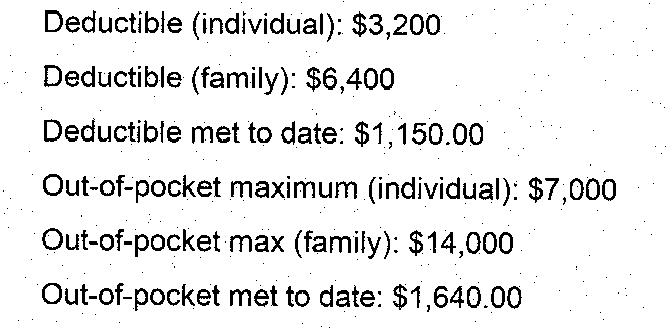
  • The warning is the signal, not a score. OCR can be confident and still wrong: each figure of “$1 4 50.00” was read confidently, yet the amount came out in broken pieces. The warning comes from a check on the amount itself, so it fires anyway.
See it readSynthetic fax
Deductible - individual (in-network) · page 1 $3,200 filed
Out-of-pocket met · page 1 $1,640.00 filed a figure may be misread: check the digits
Deductible met · page 1 $1 4 50.00$1,150.00 filed amount not read cleanly: type it from the page Corrected by reviewer · machine read “$1 4 50.00”
View's own reading of the synthetic sample fax shown above, run on 9 Oct 2026: the values are copied exactly, and warnings are shown with reading scores left out. The reviewer's ticks and the one correction are scripted.

Every team can trace the record to its source.

Intake teams read the faxes. Compliance answers for them. IT runs the system. Other systems need the result.

Check a value instead of typing it.

The page and the proposed values side by side. Confirm, correct, or add what the reader missed.

Intake and benefits teams

Know who filed what, from which document.

Every filed value records its source document, its reviewer and the time. The audit log keeps ids and reviewer names, never patient names or benefit values. In the local build the reviewer types their name; in the production design it comes from your single sign-on with MFA, so every filing is tied to a signed-in person.

Compliance and privacy

Designed to run on infrastructure you control.

By default, every reader runs where View runs, with no outside calls. A service-by-service plan for AWS, with the agreements and eligible services a deployment needs.

IT and security

One API for the record.

Each patient's current benefits as JSON, or every patient as CSV, behind a token. Every read is written to the audit log.

Your systems

Signs of government coverage go to a person.

Medicare or Medicaid coverage usually decides whether a patient can use a manufacturer's copay program. View looks for signs of government coverage on every page about the patient, and sends any fax where it finds one to a person. It never reads silence as “no government coverage”, and it never decides eligibility: a person does. The record keeps a place for it: government or state-funded coverage, a Medicare ID (MBI), a Medicaid ID and a pending Medicaid application.

Eligibility and program rules
Benefits on file you can trace to their source.Versioned, attributed, logged.Program leadership
BATech View

Routed to its readers. Traced to its page.

OCR for sensitive data. Every reading, back to the page it came from.

Security & privacy

Built to run inside your HIPAA program. Each fax is encrypted on arrival, every filed value carries the name of the person who filed it, and every fax opened, value filed and record exported is written to an append-only audit log.

Before any real patient data touches it, a production deployment needs a signed AWS Business Associate Agreement, HIPAA-eligible services only, a BAA with your fax service, single sign-on with MFA, and your own HIPAA program: risk analysis, access reviews, retention and incident response.

Today View runs as a local build on synthetic data, with a service-by-service plan for running it in your own AWS account. That is what a pilot starts from.

  • Sealed on arrival. Each original is encrypted with AES-256-GCM under its own key, and that key under a master key (AWS KMS in the production design).
  • Page images are drawn in memory. A page image is drawn for the reviewer on request and never written to disk.
  • The text and values sit in View's database. The text read from each page, the proposed values and the values filed are kept in View's database, not sealed per document: on the local build in a folder only its owner can open, in the production design in Amazon RDS encrypted with KMS.
  • Append-only audit log. The database itself refuses edits and deletions. Entries carry ids and the reviewer's name, never patient names or benefit values.
  • No outside calls by default. By default, every reader runs where View runs, and no page is sent anywhere to be read.
  • No patient documents to an AI model by default. That rule is enforced in the code and tested. The platform is designed so that a client may choose an AI route for chosen document types, running in its own cloud, and an AI reading is designed never to file on its own.
  • Clients kept apart by the database. Each client's records are kept apart by the database itself, as well as by the application.
  • Built on synthetic documents. No real patient data has been used to build or test View, and View has never trained a model on patient data.

Every screen on this page uses synthetic data: every person, plan and number on them is invented. The accuracy figures are real measurements, made on two public plan documents run through a fax simulator.

View is a BATech product. BATech also designs and builds systems like it for other companies. See what BATech builds